
Drawing Games: Draw & Color
RV AppStudiosEducational
4.3123.00 Reviews
- Version
- 2.0.1
- Installs
- 50.00M
- Age Rating
- Everyone
Screenshots

Our Review of Drawing Games: Draw & Color
 Analysis by Appyee
I spent time with Drawing Games: Draw & Color as a simple creative game rather than treating it like a full drawing studio. Its main appeal is the way it combines guided coloring with several low-pressure activities: traditional coloring pages, glowing effects, and paint-by-number tasks. That combination makes it feel more interactive than a static coloring book while remaining approachable for children and casual users.
What stood out to me is that the game does not demand artistic confidence. You can follow a visual guide, tap through a numbered design, or experiment with bright coloring effects without needing to know how to sketch. In my experience, that makes it a useful choice for a short creative break, especially when a child wants to make something immediately instead of learning a complicated interface first.
RV AppStudios developed this educational game, and it is available free of charge for an Everyone audience. It has reached over 50 million installs and holds a 4.3 average from around 27 thousand ratings, which suggests that its straightforward approach has found a broad audience. Those figures matter less than the actual experience, though: the game works best when you want guided creativity, not unlimited artistic control.
Guided coloring is the feature that defines the experience
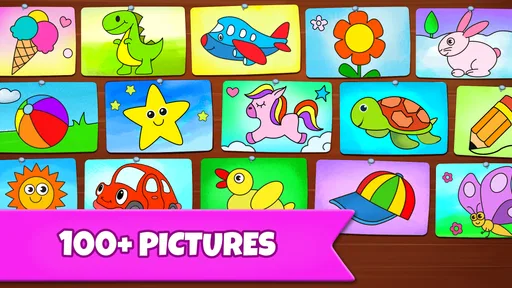
I found that the game’s appeal starts with how quickly it gives a player something clear to do: choose a picture and begin coloring, with more than one style to suit the mood. That low-friction start matters most when attention is brief, and it sets up a closer look at how the different coloring approaches guide each session.
Why the guided approach works
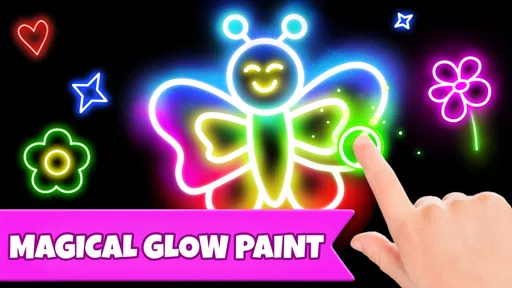
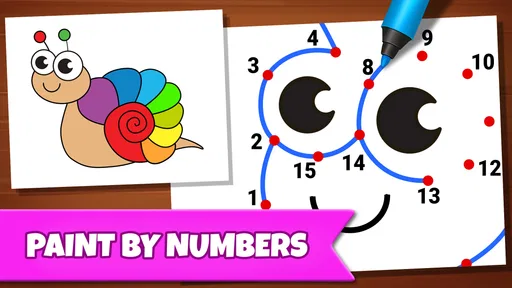
The strongest capability here is the mixture of structured coloring and playful visual feedback. Instead of opening a blank canvas and wondering where to begin, I can choose a design and start filling it in. Paint-by-number activities provide an especially clear route through the image, while the glow-oriented option changes the mood by making the result feel more luminous and decorative.
This structure has a practical effect. It reduces the small decisions that often make creative apps tiring: choosing a subject, deciding on proportions, selecting a palette, and figuring out what to do next. For a young child, that can mean less frustration. For an adult using the game casually, it means I can open it for a few minutes and still complete a satisfying little task.
The guided format also gives children a gentle way to practice attention. A child has to look for the appropriate area, identify the matching color or number, and keep working until the picture takes shape. I would not describe it as a replacement for drawing lessons, but it can support patience and visual recognition in a more entertaining form than a worksheet.
What changes between the available styles
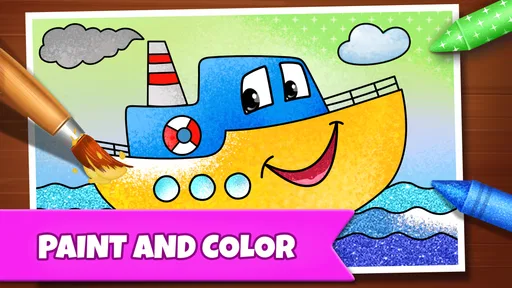
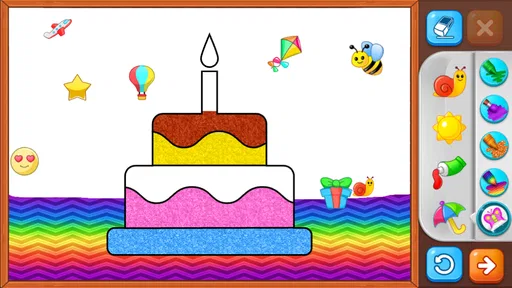
The coloring-book style is the most familiar option. It suits someone who wants to choose colors freely within an outlined picture. The glow mode is more about visual impact, so it can be a better pick when the goal is to create something bright and immediately eye-catching. Paint by numbers is the most controlled of the three, making it useful when the player prefers clear instructions over open-ended choices.
I found that these modes serve different moods rather than simply offering repeated versions of the same activity. When I wanted to relax, the ordinary coloring approach felt natural. When I wanted a stronger sense of progress, numbered coloring gave me a sequence to follow. The glow approach was more playful and decorative, particularly for a child who enjoys seeing a colorful effect appear quickly.
The important distinction is guided creativity versus unrestricted drawing. The game gives you a path toward a finished image, but that path is also what limits it. If you are looking for detailed sketching, layers, brush control, or a serious illustration workflow, this is not the right kind of tool.
How it feels in everyday use
Imagine a child waiting quietly while a parent finishes a phone call. This game can fill that short gap with an activity that has an obvious beginning and end. The child can select a picture, work through a few areas, and see visible progress without needing a tutorial from an adult. That is a more realistic use case than expecting it to hold attention like a large adventure game for an entire afternoon.
I also see it working well during a calm evening routine. A parent could let a child choose between free coloring and paint by numbers, depending on whether the child wants more choice or more direction. The glow option can make the result feel special without requiring extra creative skill. For this kind of brief, supervised use, the simple design is an advantage.
On an iPhone or Android device, the appeal is the same: the activity is built around tapping and coloring rather than complicated controls. The minimum operating-system requirement is Android 6.0, and the current version is 2.0.1. That makes it relevant to people using older compatible Android phones, although the exact feel will still depend on screen size and responsiveness.
How the coloring workflow works in practice
The activity becomes easier to manage when I match its structure to the player: numbered coloring for a clear sequence, or freer coloring when personal choices matter more. Thinking about that choice as a small workflow, rather than simply picking the prettiest picture, helps explain how to keep the experience comfortable and satisfying.
Starting with the right mode
My first recommendation is to choose the mode based on the player’s patience, not just on the picture they like. A child who becomes discouraged by mistakes may enjoy paint by numbers because the next action is clear. Someone who wants to make personal choices will probably prefer the regular coloring-book activity. Glow coloring is a good middle ground when visual excitement matters more than careful detail.
This small choice makes a noticeable difference. Giving a young player an open-ended page can sometimes create hesitation, while a numbered design can feel too restrictive for someone who wants to invent color combinations. The game is easier to enjoy when the activity matches the player’s preferred level of control.
Using the numbered approach thoughtfully
Paint by numbers is not only a beginner-friendly mode; it can also be a useful way to break a larger image into manageable steps. I would encourage a child to finish one color group before jumping around the page. That creates a clear sense of progress and may help the player notice how separate areas gradually become a complete picture.
There is a trade-off, however. The more closely you follow the numbered instructions, the less personal the final image feels. I would use this mode for learning the interface or completing a picture with minimal frustration, then move to ordinary coloring when the player wants more ownership over the result.
Making the most of glow coloring
The glow style is best treated as an effect-driven activity rather than a precise art exercise. I found it more rewarding when I focused on contrast and the overall appearance of the finished design instead of trying to make every section realistic. Bright colors can create a dramatic result quickly, which is exactly why this mode may appeal to children who want immediate feedback.
One useful approach is to let the player complete a conventional coloring page first and then try the glow option. That comparison helps explain how color treatment changes the mood of the same kind of creative task. It also prevents the glow effect from becoming the only thing the child associates with drawing.
Where the simple controls help and where they do not
The uncomplicated interaction is a strength for younger users. There are fewer controls to misinterpret, and the player can concentrate on the picture instead of learning a professional art interface. I would feel comfortable introducing it to a child who has little experience with creative apps because the basic goal is obvious.
At the same time, simplicity can become limiting for older children who want to draw their own characters or carefully edit an image. The game’s guided activities are easier to start than a blank canvas, but they do not offer the same sense of authorship as a dedicated drawing application. That difference is important before downloading it for a child who already enjoys making detailed digital art.
The best setting is a short, low-pressure creative break
I get the most value from this game when I treat it as a compact creative pause, not something that has to occupy a long stretch of time. A short session can leave room to finish a design without turning coloring into a demand, which is especially useful when choosing an activity for a child with limited patience.
For younger children who need a clear starting point
The most convincing audience is children who enjoy colors but are not ready for a complex art app. The game gives them a subject, a visual target, and several ways to complete the activity. That combination can make independent play easier, although I would still treat it as a shared or supervised option for younger children rather than assuming every child will use it appropriately alone.
It is also helpful for children who lose interest when an activity takes too long. The guided format lets them see progress quickly, and changing between regular coloring, glow effects, and numbered designs can refresh the experience. I would not promise endless variety, but the different approaches provide enough contrast for occasional use.
For families looking for an offline-style creative habit
A parent could use the game as part of a small daily routine: one picture after homework, a few minutes during travel, or a quiet activity before bed. The key is to keep expectations modest. It works well as a compact creative exercise, not as a complete learning curriculum or a substitute for physical paper, crayons, and freehand practice.
There is educational value in the process, particularly in matching numbers and colors and staying with a task. Still, I would describe that value as supportive rather than comprehensive. If your main aim is teaching color theory, handwriting, geometry, or drawing fundamentals, a dedicated educational resource will be more suitable.
For adults who want uncomplicated relaxation
Adults can enjoy it too, especially if they want something gentler than a competitive game. I liked that the activity does not require a score-focused mindset. Choosing a page and filling it in can provide a small mental reset, and the paint-by-number option removes the pressure of deciding what to create.
That said, adults who already use advanced coloring apps may find the experience basic. Those alternatives often appeal through detailed customization and a larger sense of control. This game’s advantage is speed and accessibility, not depth. I would recommend it to an adult looking for a casual distraction, but not to someone searching for a serious digital art hobby.
The trade-offs become clearer after repeated sessions
The same familiar loop that makes the game approachable can also make it feel less fresh when sessions become frequent. I would rotate between its coloring styles and take breaks rather than expecting every visit to feel different; that makes the balance between easy progress and repetition easier to judge.
Why the free price is useful
Because the game is free, it is easy to try without making a financial commitment. That matters for parents who want to see whether a child actually enjoys guided coloring before looking at more specialized creative software. It is also convenient for casual users who only expect to open the app occasionally.
Free access does not automatically make an app a perfect fit, though. The real question is whether the available activities match your expectations. If you want a broad creative toolkit, the lack of a blank-canvas experience may matter more than the price. If you only want colorful, guided sessions, the free format makes the decision much easier.
Where the game may feel repetitive
The central loop remains consistent: choose a design and color it through one of the available approaches. That consistency is reassuring for young players, but it can become repetitive for anyone who needs constant novelty. I would expect the game to work best in short sessions rather than as a single app used for every creative activity.
A practical way to extend its usefulness is to rotate the purpose of each session. One time, focus on completing a numbered picture. Another time, experiment with the free coloring style. Later, use glow coloring as a quick visual exercise. This does not change the underlying structure, but it helps avoid treating every session exactly the same.
Why it is not a replacement for a drawing app
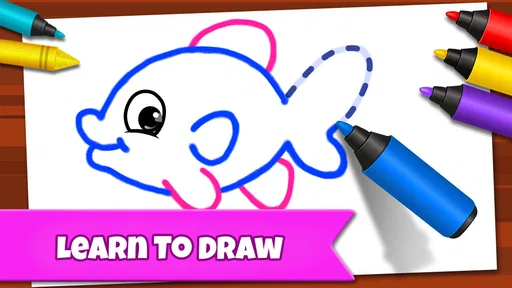
The title may attract people who expect drawing tools, but the experience is primarily about coloring guided images. That distinction should shape your decision. A child who wants to practice drawing faces, vehicles, animals, or original scenes will eventually need a more open tool. This game can build comfort with digital coloring, but it does not replace the freedom of creating from an empty page.
For comparison, a traditional coloring book offers tactile control and no screen distractions, while a professional drawing app offers much more precision and creative range. This game sits between those choices: it is cleaner and more interactive than paper, but far less flexible than an illustration workspace. Its value comes from that middle position.
What parents should consider before handing it over
The Everyone content rating makes it appropriate for a broad audience, but age suitability is not the same as personal suitability. Younger children may still need help choosing activities or staying focused. I would also make sure the device is comfortable to hold and that the child understands the goal is to create, not simply tap rapidly through every area.
For a family device, I would try the game alongside the child first. That gives you a chance to see which mode feels easiest, whether the screen is responsive enough for small areas, and whether the child prefers freedom or direction. A brief shared introduction can make later independent use much smoother.
Who gets the most from this game
This is a better fit for beginners, young children, and anyone who enjoys guided coloring than for players seeking a full drawing workspace. The deciding question is whether a clear route to a finished picture feels reassuring or restrictive, and that distinction leads naturally to who is likely to enjoy it most.
The strongest match
I would recommend Drawing Games: Draw & Color to parents of young children who want a simple creative activity, to beginners who prefer guidance, and to adults who enjoy relaxed coloring without a learning curve. It is particularly effective when the user needs a clear starting point and a visible result.
The paint-by-number activity is the best fit for users who like order. The standard coloring mode suits players who want to make more decisions, while glow coloring is the better choice for anyone who values a bright, playful finish. Having these different levels of structure is the game’s most useful design decision.
Who should choose something else
I would point older children with strong drawing ambitions toward a more flexible art application. The same applies to adults who want brushes, layers, detailed editing, or a serious portfolio workflow. This game is not weak because it lacks those tools; it is simply designed around a narrower and more approachable activity.
I would also skip it if your priority is a deep educational program with lessons and measurable skill progression. The game can encourage focus and color recognition, but its main reward is the act of completing attractive pictures. Families seeking structured instruction should look beyond a casual coloring game.
My recommendation after using it
RV AppStudios has kept the idea focused: give the player colorful designs, add guided numbering and glow effects, and make the first step easy. I appreciate that it does not require artistic confidence, and I think the choice between free coloring and more directed activities gives it more practical value than a single-mode coloring book.
My honest recommendation is to try it when you want a free, child-friendly creative break rather than a full drawing studio. Use paint by numbers to reduce frustration, switch to regular coloring when personal choice matters, and save glow coloring for quick visual fun. With those expectations, the game feels accessible and useful. Without them, someone seeking unrestricted digital art may find it too limited.
Released on May 25, 2021, and currently offered in version 2.0.1, it remains an easy entry point for guided coloring on compatible Android devices. For me, its lasting strength is not complexity but approachability: it turns coloring into a small, manageable activity that a beginner can start immediately. That is a modest goal, but the game meets it well.
Verdict
Strengths of Drawing Games: Draw & Color
- Simple controls make it easy for children and beginners to start drawing.
- Coloring activities can encourage creativity and relaxed, screen-based play.
- A variety of drawing prompts helps prevent the experience from feeling repetitive.
- Works well for short sessions when users want a quick creative activity.
- Bright visuals and playful designs make the app appealing to younger users.
Limitations of Drawing Games: Draw & Color
- Some content or tools may be limited unless additional items are unlocked.
- The app may feel too basic for experienced artists seeking advanced features.
- Frequent prompts or ads can interrupt the drawing experience in the free version.
- Small screens can make detailed coloring difficult, especially on phones.
- Saved artwork options may be limited compared with dedicated drawing apps.
Other Releases by RV AppStudios
View All
Coloring Games: Color & Paint
Educational4.4

Baby Games: Piano & Baby Phone
Educational4.4

Puzzle Kids: Jigsaw Puzzles
Educational4.4

Math Games: Math for Kids
Educational4.5
Similar Picks in This Category
View All
Little Panda Policeman
BabyBus4.0

Monster Trucks Game for Kids 2
Raz Games4.1

Little Panda's Chinese Recipes
BabyBus4.4

Little Panda's Restaurant
BabyBus4.4

Little Panda's Ice Cream Games
BabyBus4.3

Baby Panda Care
BabyBus3.8
Frequently Asked Questions
What is Drawing Games: Draw & Color?
Drawing Games: Draw & Color is a casual creative app designed for users who enjoy sketching, coloring, and completing simple drawing activities on a mobile device. It typically combines guided drawing exercises with coloring pages and playful challenges, making it suitable for children, beginners, and anyone looking for a relaxing artistic pastime without needing professional drawing skills.
Is Drawing Games: Draw & Color suitable for children?
The app is generally aimed at children and casual users because its controls, illustrations, and activities are easy to understand. However, parents should review the recommended age rating, advertising settings, and any available in-app purchase options before allowing younger children to play. Supervision is also advisable if the app includes external links, social features, or advertisements.
Does the app require an internet connection?
Some drawing and coloring activities may work without an internet connection after the application has been installed, which is convenient for travel or offline play. Nevertheless, internet access may still be required to load advertisements, download additional content, restore purchases, or receive updates. Offline availability can vary depending on the version and the specific activity selected.
Are there advertisements or in-app purchases in Drawing Games: Draw & Color?
The app may include advertising or optional in-app purchases, as is common with free drawing games on Android and iOS. Advertisements can appear between activities or on menu screens, while purchases may unlock extra pages, tools, or remove ads. Before downloading, users should check the store listing and purchase settings, especially when children use the device.
What devices are compatible with Drawing Games: Draw & Color?
Drawing Games: Draw & Color is intended for compatible Android and iOS smartphones or tablets, but the exact requirements depend on the version available in each official app store. Users should verify the supported operating system, required storage space, and developer information before installing. Keeping the device and app updated can also help prevent crashes and improve performance.
Play our best games!


